No more tax season scrambles
Tax time panic setting in? Wave’s small business software keeps you organized and ready for anything tax season throws at you.

Your roadmap to a stress-free tax season
Turn messy bookkeeping and shoeboxes of receipts into a neat, audit-proof plan.

Get your books together
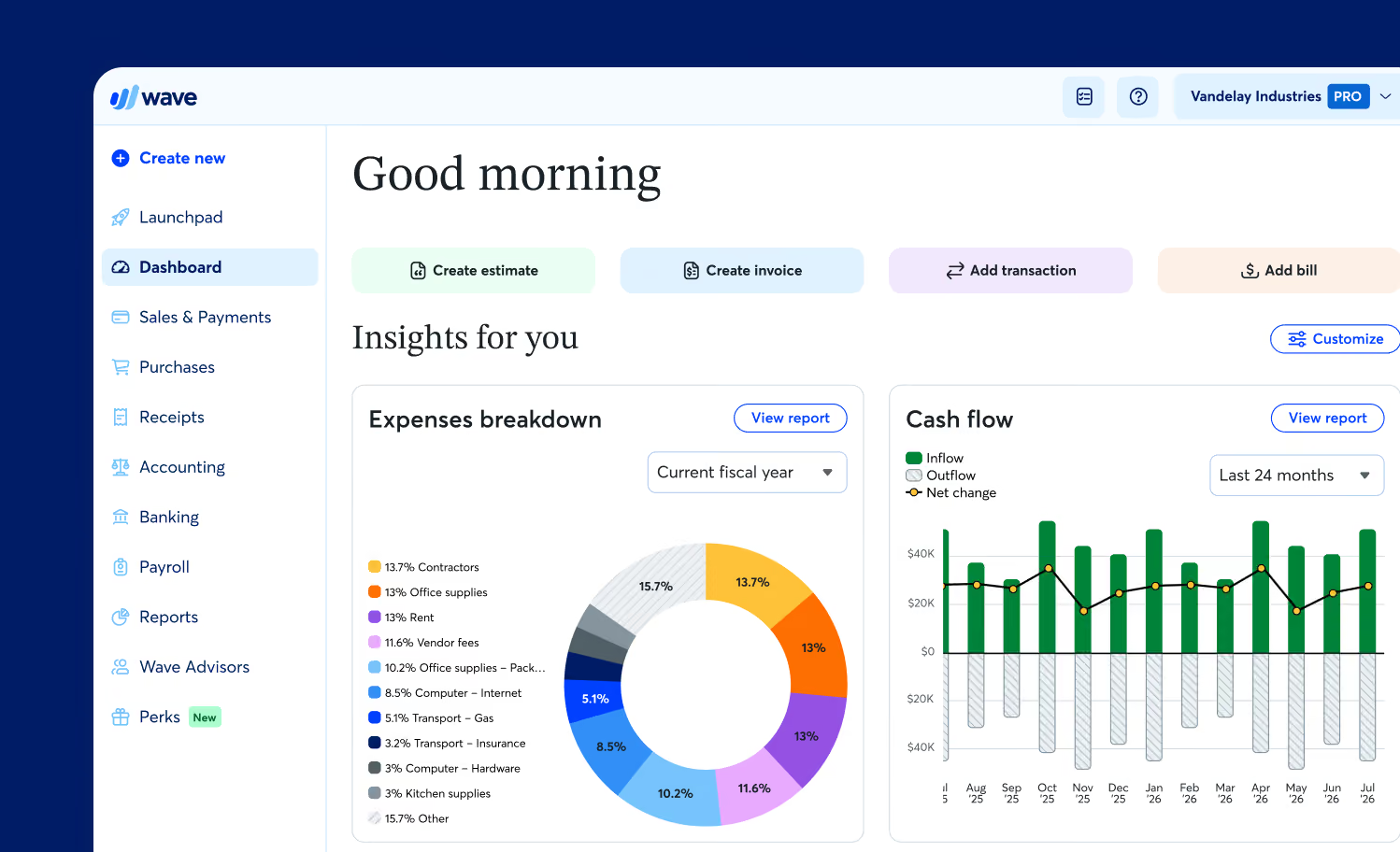
Wave imports and categorizes transactions and generates key reports to get you ready for tax time, fast. No spreadsheets or complicated software needed.

Keep more of your money
Don't leave deductions on the table! Use our receipts feature to digitally store expenses and back up every deduction you claim with OCR technology.

Avoid costly mistakes
Wave simplifies transaction uploads, categorization, and reconciliation, so your books stay more accurate. We use double-entry accounting wrapped in a you-friendly design.

"Being able to scan receipts or file them through email alone is worth the price. Wave is an asset to my business and my sanity...I’m not sweating bullets during tax season."
Features that do the heavy-lifting


Receipt scanning
Snap a photo, track expenses, and stay organized year-round.
Bank syncing
With Wave’s Pro Plan, securely sync your bank and credit cards with Wave and spend less time typing in data.
One-click tax reports
Generate profit and loss statements, balance sheets, and cash flow reports in seconds.
Collaborate with your team
With Wave’s Pro Plan, give your accountant, payroll manager, or business partner access to your Wave account.
Built for businesses like yours
Construction and home services

Creatives and
freelancers

Real estate

Consultants

"Wave has kind of taken the headache out of taxes... I can go to my reports, download my report, upload it to our tax portal and move about my day... it’s just not something to lose sleep over."


Why Wave is the wiser choice

Clunky interfaces and accounting jargon make tax time harder. Wave is easy (and fun!) to use.
Don’t get bogged down with features you don't even use. With Wave, you’ll access the time-saving tools you need, for less.
Setting up or migrating from QuickBooks is easy. You’ll get organized and prepared for tax season, fast.

Plans to make your plans happen

Just starting your business or looking for the basics? This is the place.
Create unlimited estimates, invoices, bills, and bookkeeping records
Option to accept online payments
2.9% + $0.60 per credit card transaction
3.4% + $0.60 per Amex transactionInvoice on-the-go with the mobile app
Manage cash flow and customers in one dashboard
Want to look more polished, save more time, and conquer cash flow? It’s Pro time.
Option to accept online payments at a discounted rate
2.9% + $0** per credit card transaction
3.4% + $0** per Amex transactionAuto-import bank transactions***
Auto-merge and categorize bank transactions
Digitally capture unlimited receipts and track expenses
Automate late payment reminders
And more!
Just starting your business or looking for the basics? This is the place.
Create unlimited estimates, invoices, bills, and bookkeeping records
Option to accept online payments
2.9% + $0.60 per credit card transaction
3.4% + $0.60 per Amex transactionInvoice on-the-go with the mobile app
Manage cash flow and customers in one dashboard
Want to look more polished, save more time, and conquer cash flow? It’s Pro time.
Option to accept online payments at a discounted rate
2.9% + $0** per credit card transaction
3.4% + $0** per Amex transactionAuto-import bank transactions***
Auto-merge and categorize bank transactions
Digitally capture unlimited receipts and track expenses
Automate late payment reminders
And more!
Hands-off bookkeeping and financial guidance with in-house experts
Includes Pro Plan features*, plus:
- A dedicated bookkeeper to keep your books accurate and up to date
- Monthly financial statements prepared for you
- Expert support to answer your bookkeeping questions, anytime
- Be ready for tax time with clean, organized books and reports
- Onboarding when switching from other accounting software, like Freshbooks
- Optional packages for one-on-one guidance from an accounting coach
*Mobile receipts not included
Powerful tools to keep you tax-ready

H&R Block
Access exclusive rates with H&R Block Small Business experts to breeze through tax season. Plus seamlessly import your Wave data to file with H&R Block.

Bluevine
Get a Bluevine business checking account to make bookkeeping even easier. It’s built for small business owners and syncs with Wave!

Make.com
Connect Wave to thousands of other apps. Design, build, and automate your workflows in minutes, right in Wave.
Level up your tax knowledge






Frequently Asked Questions
What does “tax-ready” bookkeeping mean for small business owners?
Tax-ready bookkeeping means your financial records are complete, accurate, and organized so you can file your taxes quickly and confidently. When your income, expenses, receipts, and bank transactions are properly tracked throughout the year, tax season becomes a matter of reviewing reports, rather than scrambling to catch up. Being tax-ready also helps reduce errors, avoid penalties, and ensure you don’t miss out on eligible deductions.
How can Wave help me get my business ready for tax season?
Wave gives you the tools to stay organized all year long, so tax time becomes less stressful. You can connect your bank accounts to automatically import transactions, categorize expenses, send and track invoices, scan receipts on-the-go, and generate the financial statements required for filing. Accurate bookkeeping happens in the background, so when tax season arrives, your records are already ready to go.
Which Wave features are most helpful for preparing small business taxes?
Several Wave features support tax readiness, including:
- Automatic bank connections
- Expense categorization and custom categories
- Invoicing and payment tracking
- Receipt scanning and digital storage
- Automatically generated reports (profit and loss, balance sheet, cash flow statement)
Together, these tools give you everything you need for tax filing or for working with your accountant.
Can Wave automatically categorize my transactions for easier tax preparation?
Yep! Wave automatically categorizes your transactions as they import from your bank, and you can create custom categories to match your business’s needs. You can also set rules to make categorizing easier. Consistent categorization throughout the year ensures your deductible expenses are correctly tracked for tax time.
Does Wave generate the financial statements I need for tax filing?
You bet. Wave produces all the key financial reports used for tax preparation. If you’re working with an accountant to file your taxes, they may ask for documents including:
- Profit and loss statement (often used to complete Schedule C in the U.S.)
- Balance sheet
- Cash flow statement
- General ledger
These reports help you (or your accountant) understand your income, expenses, and financial position at year-end.
How do Wave’s reports help with filing small business taxes?
Wave’s reports summarize your financial activity in a format aligned with tax requirements. For example, the profit and loss statement groups your income and expenses into categories commonly used on tax forms, making it easier to transfer the numbers accurately. Reports also help identify deductible expenses, reconcile any missing information, and keep you ready for any audits.
Can Wave help me track deductible expenses throughout the year?
Yes, Wave automatically imports your expenses, allows you to categorize them, and lets you attach receipts for documentation. You can also tag expenses to specific categories that match tax-deductible items, such as supplies, meals, travel, or home office expenses. This ensures you maximize deductions and keep accurate records.
How does receipt scanning in Wave make my business more tax-ready?
Wave’s receipts feature lets you capture and upload receipts from your phone or computer. The amounts and vendor details are captured automatically and matched to transactions. This gives you a complete digital record that supports your tax return and keeps you prepared for an audit, without all the paperwork.
Does Wave sync with my bank accounts for accurate tax records?
Yes, Wave safely and securely connects to your bank and credit card accounts to import your transactions automatically. This reduces manual data entry, ensures your records stay up to date, and helps with accuracy for tax filings. You can easily reconcile your accounts to confirm everything matches your bank statements.
Can Wave help me catch up if I’m behind on my bookkeeping before tax season?
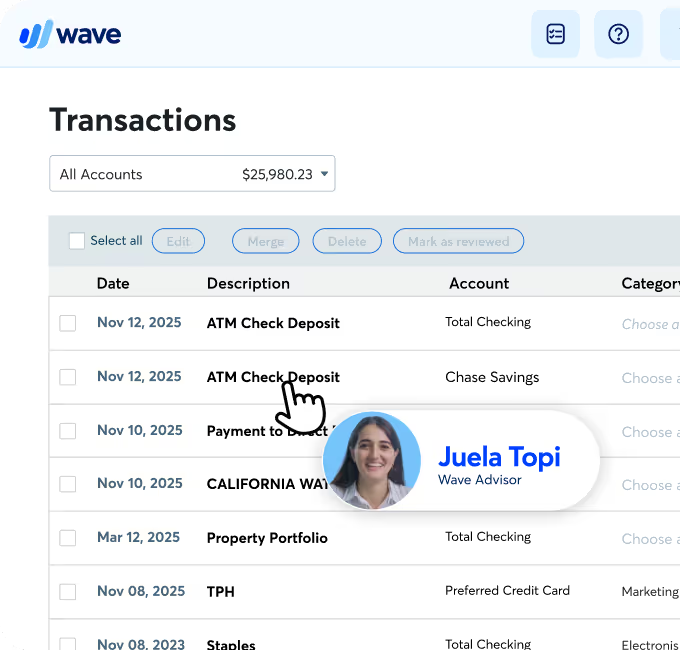
Wave makes catch-up bookkeeping much easier with automatic transaction imports and streamlined categorization tools. If you need extra help, Wave Advisors, our in-house bookkeeping experts, can provide professional bookkeeping support, including getting your records cleaned up and tax-ready before filing deadlines.
What if I need professional help? Does Wave offer bookkeeping or tax support?
Yes, Wave Advisors gives you access to professional bookkeepers, accountants, and tax experts who can help with ongoing bookkeeping, year-end cleanup, or preparing and filing your taxes. This is ideal if you want hands-on help or the stamp of approval that everything is done correctly.
How do I categorize income and expenses in Wave for tax purposes?
Wave provides default categories that match common tax classifications. You can also create custom categories specific to your business. Categorizing transactions regularly ensures accurate reports, maximizes deductions, makes tax filing easier, and helps with consistency across your books.
Does Wave store my financial data securely for tax reporting and audits?
Wave prioritizes security with encrypted data storage, secure servers, and industry-standard safeguards. Your financial records and receipts are stored digitally, making them easy to access, organize, and present in case of an audit.
Can I export my Wave data for my accountant or tax professional?
Yes, you can export reports in PDF or CSV format, share accountant access to Wave, or download individual transaction details. This gives your tax preparer everything they need to file your return accurately.
How early should small business owners start preparing for tax season?
Ideally, tax readiness happens all year. By keeping your books updated monthly (something Wave makes simple!) you’ll avoid last-minute stress. If you’re behind, starting a few months before the deadline gives you enough time to categorize expenses, reconcile accounts, and gather all necessary documents.
Can Wave help me separate personal and business expenses for tax filing?
Wave allows you to categorize and separate personal transactions if they come through a mixed account. However, for best results, we recommend using a dedicated business bank account. Wave’s categorization tools make it easy to isolate business expenses for accurate tax reporting.
**While subscribed to Wave’s Pro Plan, get 2.9% + $0 (Visa, Mastercard, Discover) and 3.4% + $0 (Amex) per transaction for the first ten cumulative transactions in a monthly subscription period, then 2.9% + $0.60 (Visa, Mastercard, Discover) and 3.4% + $0.60 (Amex) per transaction thereafter. Discover processing is only available to US customers. See our Payments Terms of Service for more details.
***We use Plaid to facilitate bank connections. Not all financial institutions are supported so we can’t guarantee that you will be able to connect an account. Check Plaid's troubleshooting guide for more information.
****Customers who enable payments on Wave invoices mark invoices paid 3x faster than those who are paid through cash or check.